In this weeks post we will be mainly focusing on methods of avoiding antivirus programs, mainly Windows Defender. Once we’ve conquered Windows Defender, we can test our program with different antiviruses after the fact. It’s likely we’ll have to use an array of different techniques, but we’ll start from the easy and simple solutions so that we don’t get stuck for too long.
Distraction code
I was thinking about just making “distraction” code in our program so that it would seem like it doesn’t do anything suspicious. I’m not sure if this is going to work at all, but I though it could in practice at the very least. And also, since windows defender has been very inconsistent with detecting our program (doesn’t know what it is exactly). Still, I wouldn’t rate the chances of this working very high. This is what I came up with:
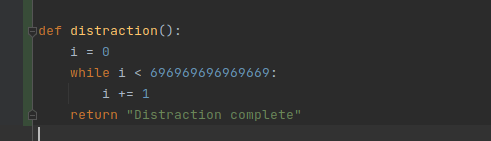
Quite simply, we’ll run this function on start up and it’ll be doing that for a second. The number might seem high, but it should actually go over quite quickly. Like I said, this is pretty unlikely to work in my opinion, so we’ll just go with it for now.
I tested that the program wouldn’t get stuck with the python version first:
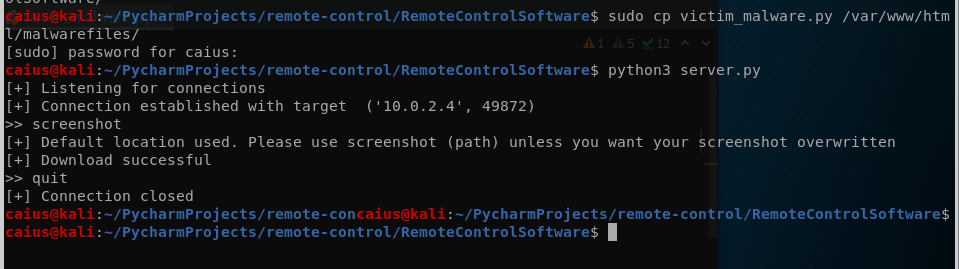
After running the program it took about 6-7 seconds for us to get a connection, which is because of the new distraction function we added. This delay is fine if it manages to evade AV programs, but if it doesn’t fulfill that duty, we will be removing it. Next we just compress the file like previously to an exe, please read through last weeks post if you’re curious about the process: https://caiusinfo.data.blog/2021/03/16/remote-control-software-project-screenshot-feature-caius-juvonen/
Next I downloaded the file on the victim machine, and to my great surprise, Windows Defender did not detect even the uncompressed .exe! But this was just after the Download, when trying to run the file Windows asked to send the file forward to check it, and Windows Defender seemingly stopped it from running. Now even the funnier part: the compressed file was immediately lagged as a malware and was promptly removed when I downloaded it.
Honestly these results are a little puzzling, since they’re so inconsistent and weird that I don’t even know what’s working and what’s not. The file we compressed with upx was detected as a trojan immediately, but the uncompressed file doesn’t raise any flags when downloaded (Windows Defender is still not allowing us to run the program though!). I’m not sure if Windows Defender is not allowing us to run the program because it thinks it’s suspicious or because it’s just a random .exe file without a publisher. Either way, that’s a problem. I also decided to run a scan through windows defender when the uncompressed file was installed, just to see if it would catch on then.

Windows Defender did not detect our file, again. This gave me a sliver of hope and an idea: what if we tried to run this code with a legitimate program? We could install a very legitimate program and have this run in the background, and technically Windows Defender shouldn’t then complain. Also, this gives the added benefit of getting the victi to actually run the program (and hopefully we’ll also get rid of the annoying “are you sure you want to run this suspicious .exe-file?”-warnings). Now how can we go about this, you ask? Well, I’m not sure currently, so we’ll have to do a bit of research.
Unfortunately, it seems like this is a quite sophisticated and complicated thing to pull off..
Meanwhile, I also ran this test on my actual non-virtualized windows computer, and the results were the complete opposite: our non-compressed file was detected immediately while the compressed one wasn’t:
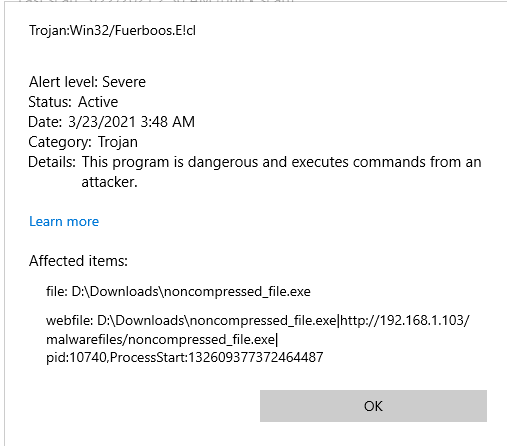
I’m starting to think that Windows is purposefully messing with me, but we can conclude that we did indeed not manage to evade Windows Defender.
I did also try running the program on my actual windows machine (the IP’s might need to be changed in the programs depending on your setup)

Remember that Windows Defender will still want to send these files to be analyzed (you need to disable this from Windows Defender settings so it doesn’t happen automatically). Since it would make our job harder, make sure you don’t send any files. By the way, both of these files are basically the same, the IP’s are just different so we can test if the program runs properly on our other computer (probably won’t).

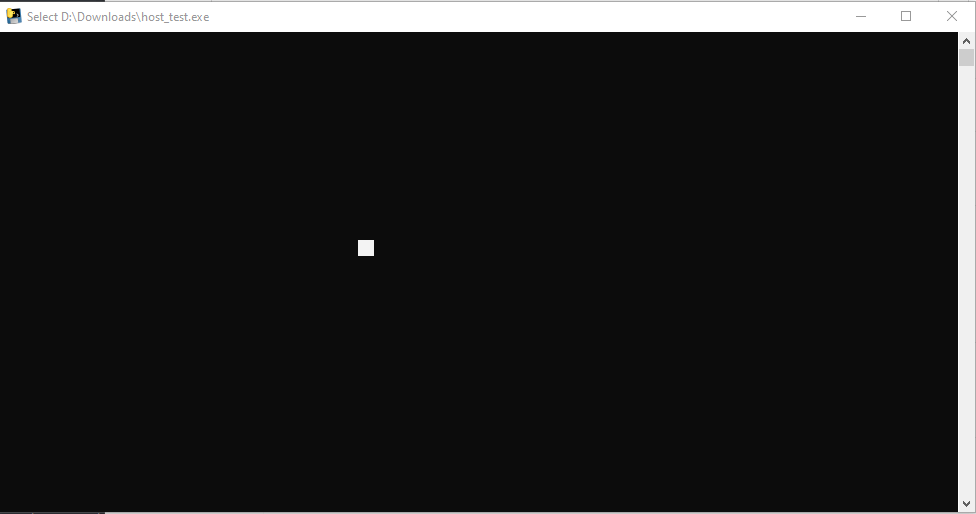
… Nothing. So it won’t work unless we make sure that the file is not detected as suspicious by Windows Defender.
This week I got some leads on how to pursue this further, which is why we’ll continue doing this next week and hopefully get some better results that time. See you on next weeks blog post!
Caius Juvonen
 Caiuksen blogi